Analyze
Analyze is the main evidence-first workspace for open-ended business questions. It is not a chat wrapper around a dashboard: the transcript, execution state, evidence, and durable artifacts all belong to the same task.
Workspace structure
The primary surface is the conversation. Home-page starters prepare an editable question; they do not submit it automatically. Use the execution and evidence actions to open the inspector while keeping the transcript readable.
Desktop navigation also exposes data objects and task history. On compact screens, these tools remain available from the workspace menu.
Account, settings, and theme controls stay together at the bottom of the desktop sidebar and in the compact header on smaller screens. Each is directly visible and opens or switches with one click.
The same workspace adapts to phones, tablets, desktop windows, and Web. Wider tablet and desktop windows use the sidebar; narrower screens use the compact navigation dock. Rotating or resizing preserves the question you are editing, its selection, and keyboard focus. Short windows keep controls reachable through scrolling, including when the keyboard is open.
During a run you can inspect:
- the accepted analysis plan;
- tool and stage events;
- query and mining artifacts;
- Analysis Artifact findings and limitations;
- report artifacts when a report was requested;
- timing and trace metadata.
The conversation keeps six visible phases: Data, Plan, Query, Analysis, Report, and Delivery. Pending phases remain visible. Runtime events select the active phase; verified artifacts or successful tool results confirm completion. Failed attempt counters never count as success. Execution trace and evidence actions still open their inspectors. The UI never invents a percent-complete value.
How the Agent works
A normal analysis follows a bounded path:
- discover authorized data;
- inspect only the required metadata;
- record a valid plan;
- execute typed query and/or registered mining steps;
- record an evidence-backed Analysis Artifact;
- synthesize a concise answer;
- create or patch a report only when requested.
Once a query or mining plan is accepted, completion requires a verified Analysis Artifact even if the model omitted the synthesis step. The Agent can append that step and reuse the existing evidence; it does not need to rerun the query or create an unrequested report. Capability and catalog answers without an analytical plan remain text-only. Once an analytical request reaches the runtime plan boundary, a rejected plan or execution attempt cannot be skipped by claiming completion: the Agent must repair the plan within its limits. This does not prevent recovery through another authorized catalog object or corrected source configuration.
If the accepted plan includes mining methods, each declared method must have a successfully committed result from the same run before findings are recorded. A skipped method keeps the Agent in its execution stage so it can repair the omission using the existing evidence and limits. Failed results or results from another task cannot stand in for it. This does not claim that every DAG node has an execution binding.
The reasoning model proposes actions. Rust validates authorization, schema, budgets, tool contracts, evidence references, and report shape.
Better prompts
Prefer requests that define the business question and expected evidence:
Compare revenue change by region, identify the largest contributors, check whether the result is stable across the last four periods, and list data-quality limitations.
Avoid prompts that force an implementation detail unless you need it:
Run this exact SQL…
If you know the object, name it. If you do not, ask Scopwis to discover what is available.
Follow-up analysis
Follow-up turns reuse the conversation and durable artifact references. A display-only report change should reuse verified evidence instead of re-running data work. A changed metric definition or new data scope requires new evidence.
When you scroll up to read earlier messages, new answers do not move your reading position. Use Back to latest (or New messages when an answer arrives) to return to the end and resume following the conversation. The question you are composing stays intact. The Agent status above the composer updates as its actual stage changes.
Cancellation
Cancellation also takes precedence when an in-flight model or tool operation becomes ready in the same poll that requests cancellation. Its unreturned result cannot become a successful answer. Previously committed evidence is retained; cancellation does not roll it back or retry the operation. Disconnecting from the task stream alone does not cancel it.
Failure and recovery
Scopwis keeps completed evidence when a later provider or formatting step fails. An internal protocol error is not a reason to ask you to approve the same plan again. When the system truly needs an object, permission, or business definition that only you can provide, the run returns needs_input with that missing item.
When a verified analysis is finalized without another model call, its accepted recommendations remain in the answer alongside findings, evidence, and limitations. Context compaction only removes row previews for queries that the analysis actually references; other query evidence and complete method contracts remain available. These safeguards do not authorize additional tools or change stored artifacts.
Connection and readable recovery
When the server is unavailable or does not advertise Analyze, the workspace explains how to recover instead of presenting a new-task composer. Saved conversation evidence remains readable. The same capability check applies on desktop and phone.
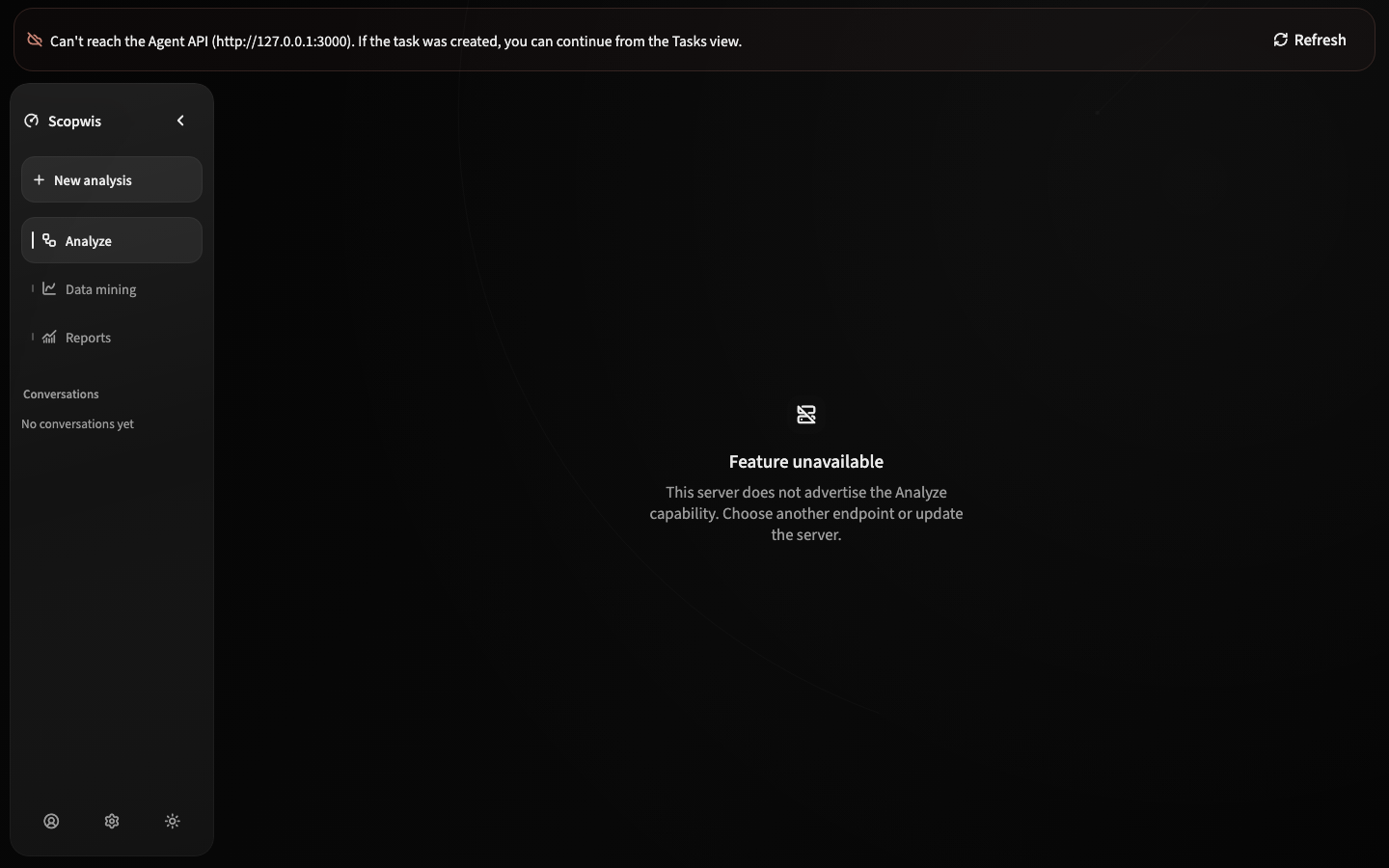
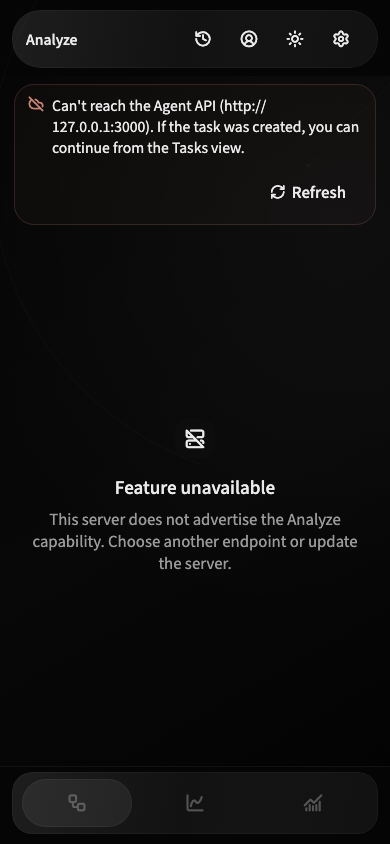
Recovery messages wrap naturally, with a clear heading and a reachable action. Increasing the system text size preserves the complete message and button.
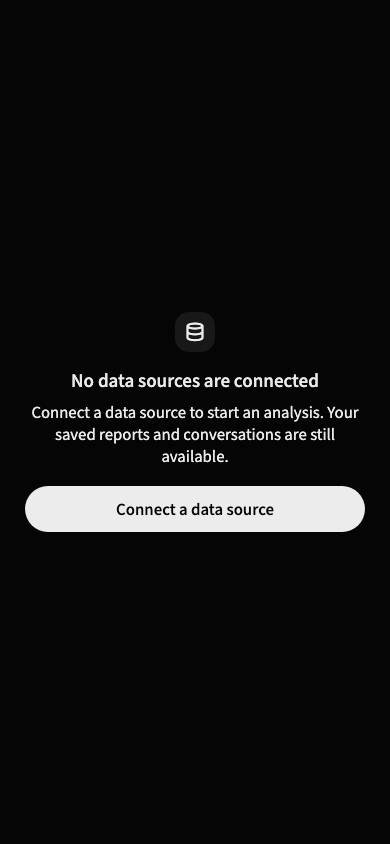
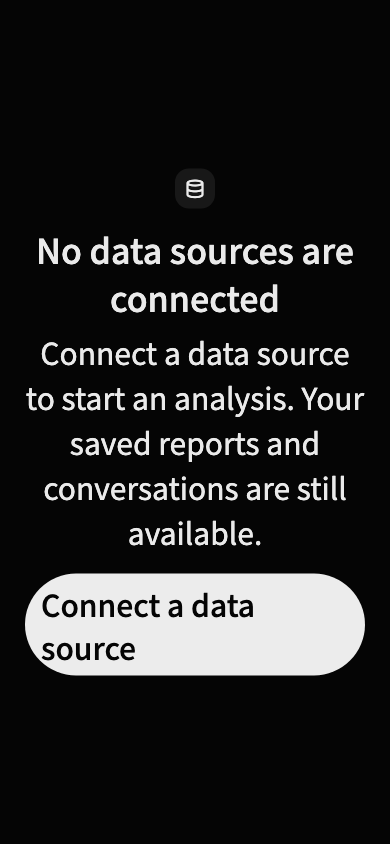
These screenshots show an unavailable local connection and a data-source recovery example; they do not depict a completed live analysis.