Reports
Reports are durable, evidence-backed deliverables rendered from validated ReportSpec. They are a first-class workspace, not a screenshot of a chat response.
Create a report
Open Reports and use the create action, or ask from Analyze:
Create a report from this evidence with an executive summary, KPI comparison, trend chart, detailed table, and limitations.
Scopwis requires verified analysis/query evidence before a new analytical report can claim a result.
Browse and inspect
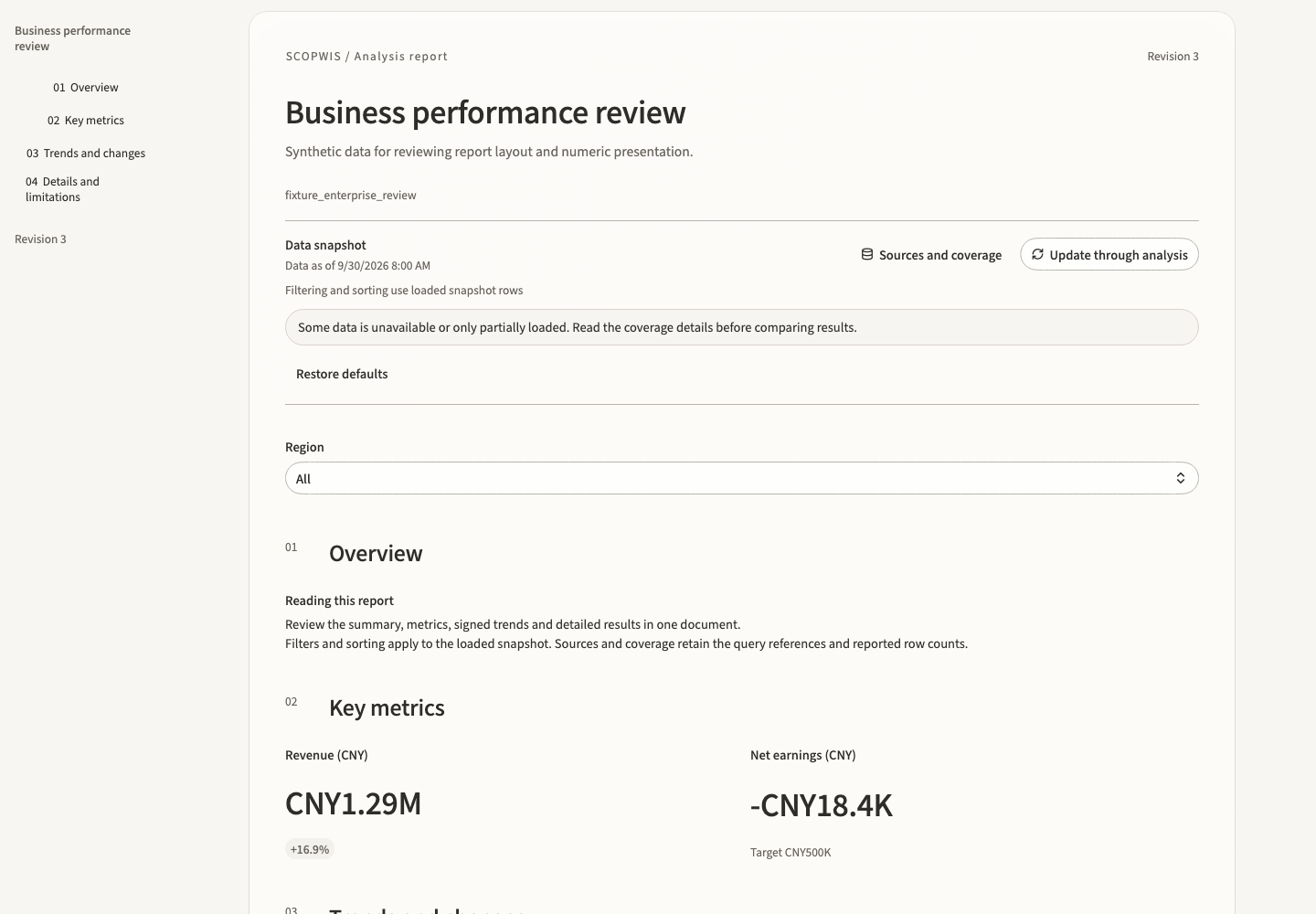
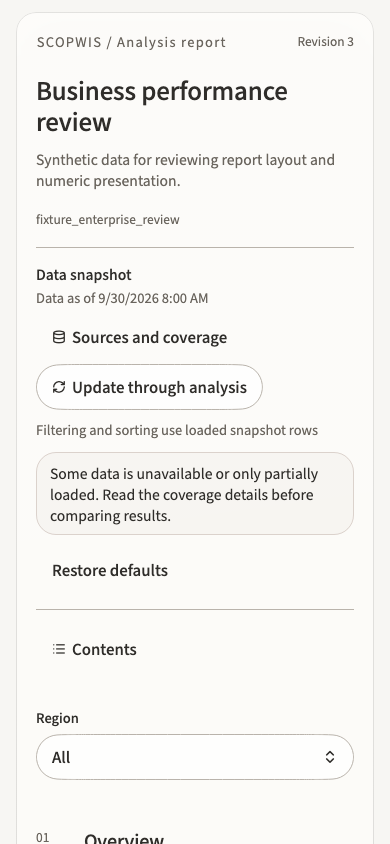
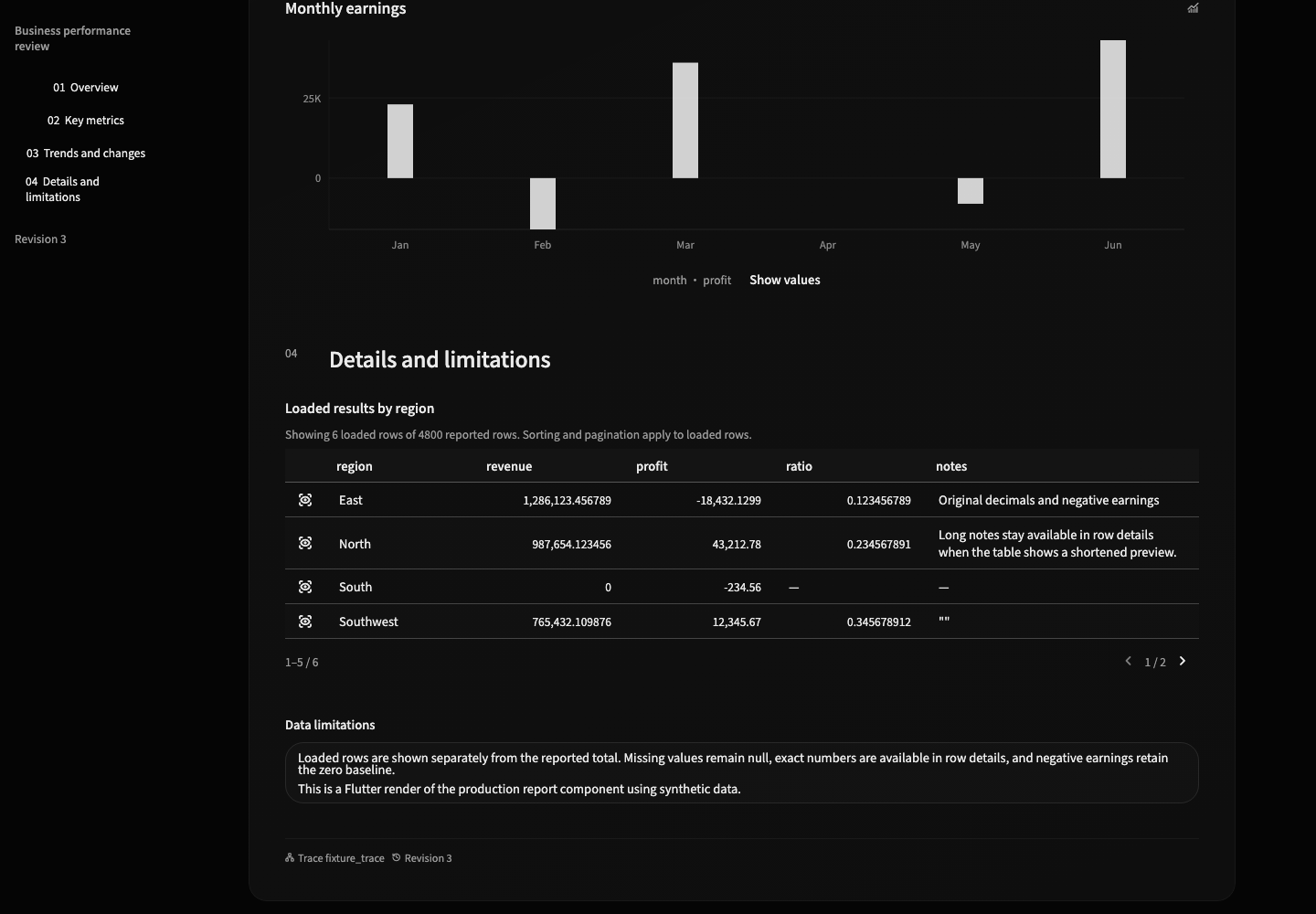
These captures use the current production Flutter reader with synthetic data. They show layout and report interactions; the data is not a live business analysis.
Reports opens to the searchable catalog unless a run has just delivered a report. Select a catalog row to open the persistent reader; return to the catalog to choose another report. The same ReportSpec renderer is used for normal readers and frozen public shares.
A report can contain narrative sections, KPI groups, tables, charts, filters, and evidence/provenance blocks. Layout remains declarative; arbitrary HTML or JavaScript is not part of ReportSpec.
On a phone or tablet, use the catalog action in the reader to browse or search reports. Search by title or report ID, clear the search, select a report, or return to the current reader. Closing search keeps the reader and its filters intact; it does not reload the report. Reloading the catalog or report details keeps your selected report, while a newly delivered report opens explicitly.
You can keep searching and choose another report while a refresh or detail request is in progress. The latest selection wins; obsolete reads are cancelled. Failed reads keep the available catalog and offer retry, while refreshing the same report preserves the current reader. Repeated delivery of the same report revision does not reload it.
Use Contents to navigate report sections. Long narrative sections follow the main document scroll; they are not confined to a small inner reading pane. The catalog places revision and widget count before the report ID so titles and useful metadata remain easy to scan.
Data sources and coverage
A report is a bounded analytical snapshot. Open Data sources to inspect each declared dataset, its source ID and query artifact, loaded row count, and reported total when one is available. A missing payload remains unavailable; it is not treated as a zero-row result. The data-as-of value comes from the report's provenance. If no usable timestamp is supplied, the reader says that it is unknown.
Coverage describes the received report payload, not the entire source database. The reader warns when a payload is incomplete. Charts and tables can also apply their own display limits and show those limits beside the result. A smaller visible result does not establish that the source contains fewer records.
Local filters
Report filters act on the loaded snapshot. Searching a filter looks through its bounded loaded choices, including values that are not initially visible. Number, text, and boolean choices remain distinct. Multi-select changes are applied when you confirm the selection; cancelling keeps the current report state. When the report requires a selection, an empty multi-select cannot be applied. If a slider cannot represent large integers precisely, open the range to enter exact lower and upper bounds within the loaded limits. Values already rounded during transport or by the platform cannot be recovered.
The reader shows active local filter values. Restore report defaults restores the parameter values declared by the report, which may include a nonempty default. A local filter does not rerun SQL, fetch unloaded records, or establish a new data-as-of time. Linked widgets change only through interactions declared by the report.
A filter draft belongs to the snapshot you opened it from. Switching reports, replacing a report revision or its data, or restoring defaults prevents an older dialog from overwriting the current selection. A selection changed elsewhere also invalidates the older draft. Applying an outdated draft only closes that dialog; reopen the filter to choose from the current snapshot. Ordinary rebuilding of the unchanged snapshot keeps a valid draft usable. Choosing, applying, or closing a filter dialog completes it once: repeated activation cannot submit twice or close the underlying report, and a closed dialog cannot apply an old selection. A destination opened by the selection callback stays open. Continuous slider adjustments still accept successive values.
Exact details and chart values
Tables support stable sorting, fixed headers, pagination, and horizontal scrolling on narrow screens. When columns exceed the reading width, a persistent draggable scrollbar appears below the table. The report's initial sort may use a field that is not displayed; selecting a visible column header changes the sort to that column. Numbers retain the precision present in the loaded data. Missing values, empty text, and invalid numbers remain distinguishable. Use the row inspection action to open the complete, selectable field values; inspecting a row does not trigger the row's selection interaction.
Numeric chart axes use compact labels for your language, such as “1M” or “100万”. Tooltips retain full numeric values. Show values switches the chart to a scrollable list of its loaded fields and exact values, accessible by keyboard and screen reader. Dense categorical charts can scroll horizontally. Where the report declares a selection interaction, selecting a value uses its source row.
Signed comparisons share a zero baseline, and missing trend observations remain gaps. Part-to-whole charts reject negative inputs rather than converting them to positive values. A heatmap requires unique coordinates, and a box plot requires ordered summary statistics; resolve invalid data in the query instead of interpreting a misleading picture.
KPI integer comparisons retain the exact difference for inspection, including differences larger than a native 64-bit integer. Compact labels may be approximate; tooltips and screen readers retain the exact difference and any declared unit. A zero baseline cannot produce a defined percentage change.
Rerun analysis
Use Rerun analysis when you need current data or a different analytical scope. In the report library, this sends a request through Analyze to rerun the relevant analysis and obtain new verified evidence. The button does not directly query the source or overwrite the existing report snapshot. Completion depends on the Agent run and its evidence checks.
Reloading the catalog or report details reads stored report state. It does not refresh the underlying business data. Frozen public shares stay bound to the shared report revision.
Refine with AI
Refine sends an explicit report-refinement request through the Agent. Display-only changes should reuse the existing verified evidence. If you change the data question, metric definition, or scope, Scopwis requires new evidence before introducing that result.
Edit directly
The report editor validates the complete candidate ReportSpec before a revisioned update is committed. Revision conflicts fail instead of silently overwriting a newer report.
Share
A public share is an explicit, unguessable, revocable, read-only snapshot bound to a report revision. Public projections omit internal evidence coordinates and expose only the data needed by the report. If share status cannot be read or its response is invalid, retry before creating a link. When creation or revocation fails and the result is uncertain, reload share status before another action; an old link or private status is not assumed to remain valid. A confirmed existing share can still be revoked when a public host is unavailable. A snapshot whose identity or frozen revision does not match the requested link is shown as unavailable and can be retried. The share creation time does not establish the data-as-of time.
Data retention
Report metadata and lineage can outlive large query payloads. When an underlying bounded payload expires, Scopwis preserves the ReportSpec and provenance but marks the dataset unavailable instead of manufacturing an empty result.
See Security, evidence, and lineage for the trust model.